This release includes new features and improvements that make SOTO easier to use and more efficient.
SOTO
Tutorial for pressed bumpers
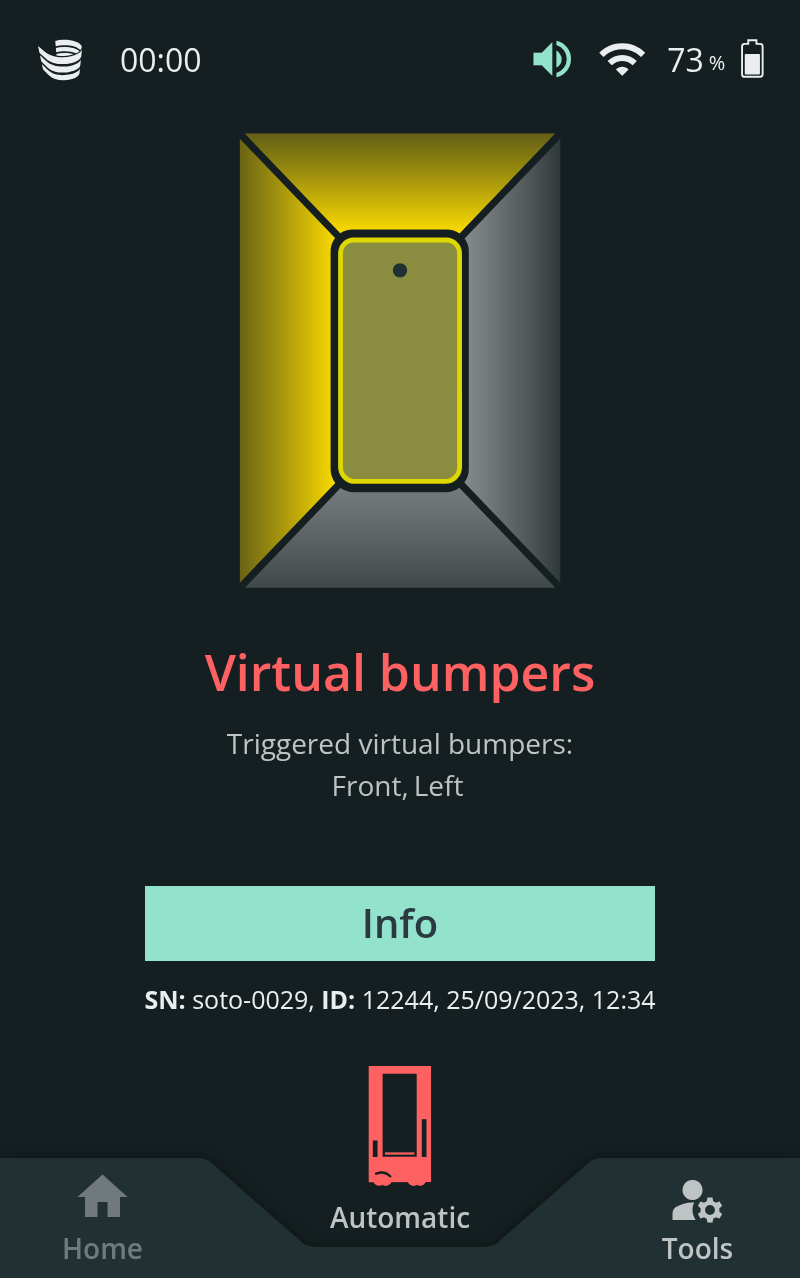
There is a new tutorial for when the virtual bumper field is obstructed for an extended period of time. This may occur if an object is blocking the driving path of SOTO. The tutorial on the SOTO display provides instructions on how to rectify the problem.
Hardware self-test can be interrupted
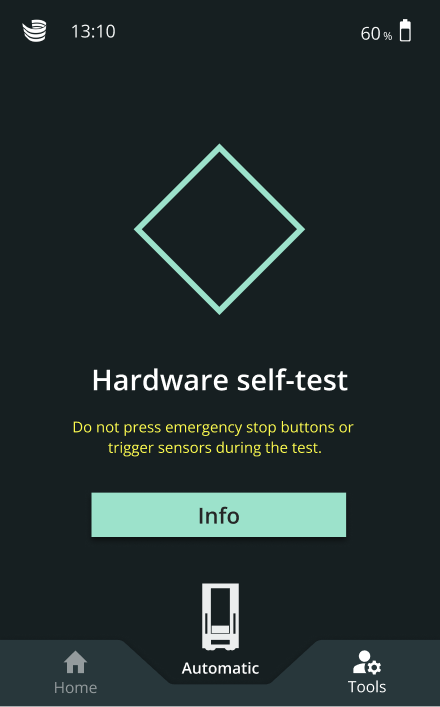
The hardware self-test can now be interrupted by switching the robot from Automatic into Manual mode. The self-test will resume once the robot is switched back into Automatic mode and docked to a charger.
Adjustment to battery empty notification
When SOTO’s battery level reaches 10% a warning notification is displayed stating that the robot will switch off after 10 minutes. In case the robot has not received a charging request or is being operated manually, the instructions ask the user to drive the robot to the charger.
Barcode status “Unknown” for picks without barcode scanning
On the SOTO display, the description of the barcode for a KLT now states “Unknown” if the robot was instructed to pick a KLT without scanning the barcode.
Tutorial for safety issues
There is a new tutorial for when the safety is unexpectedly triggered. This may be due to a KLT getting stuck in the KLT-press, or a similar hardware issue. The tutorial on the SOTO display provides instructions on how to rectify the problem.
Magazino Fleet Manager (MFM)
Dropdown list with SOTO robots in top bar
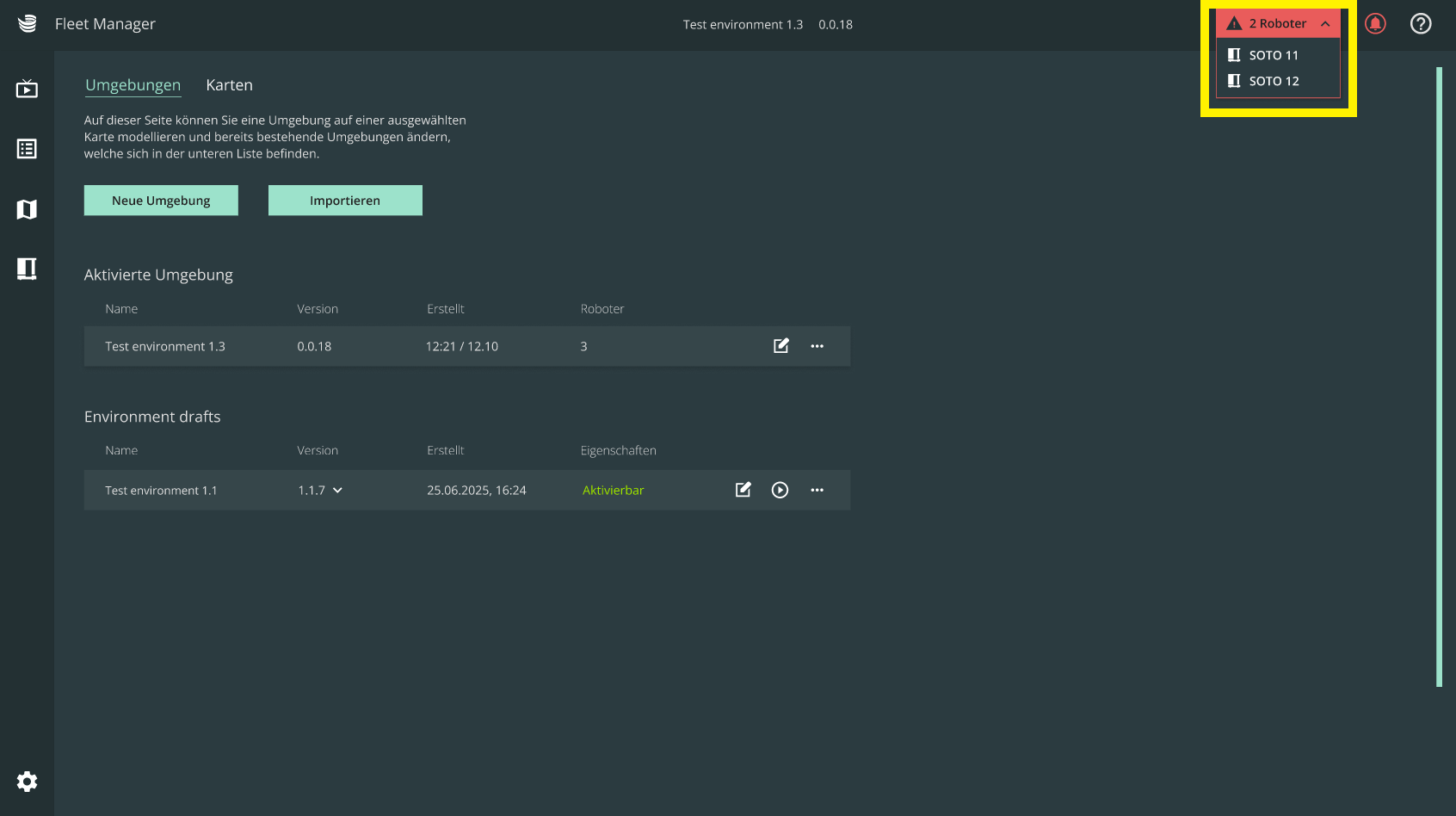
Robots that have an error are now displayed in a dropdown menu in the right-hand corner of the top bar. You can click on the arrow to view each robot individually. If all robots are working as expected, there is a label which states "Robots ok".
Improved user interface of MFM
The look and feel of the MFM interface has been updated with a new font and the Jungheinrich color scheme to improve the user experience.
Push notifications for mobile devices
If your MFM has notifications enabled, they can now also be sent as push notifications to your mobile device. This is useful in case a robot encounters an error and needs your attention. Please note that in order to use this feature, the MFM needs to be installed as a web application on your mobile device.
Mapping alternative compartments in the Transport Matrix
If you are using the transport matrix to create orders, you can now specify an alternative target compartment if the put-down into the initial target compartment fails.
If the put-down into the target compartment fails, SOTO will navigate to the alternative shelf and attempt to place the KLT into the alternative compartment. SOTO will resume the previous tour when the KLT is placed into the alternative compartment.
Automatically generate return orders in the Order Manager
If you are using the transport matrix to create orders, you can now automatically generate return orders using the “Return Logic” section of the Order Manager. The return logic makes it possible to automatically add a return request to bring back an empty KLT for each request delivering a full item (or vice versa). The return logic can be defined in a CSV file and imported into the Order Manager. The data must match the active environment.
This section provides detailed information about the technical specifications of SOTO. This information is intended for technical experts who need to understand the inner workings of SOTO to deploy, troubleshoot, or improve the performance of SOTO.
Improved calibration of the SOTO gripper camera
The gripper camera calibration is now more robust against interference from the environment. Therefore, there is no longer a need to search for an optimal place to run the calibration, such as positioning the robot near a window or light source. During the process, the camera scans the entire backpack to identify the calibration pattern. This means that if you cannot place the calibration pattern on the third backpack layer, you can now alternatively place it on the second or fourth.
PSS Test renamed to Brake Test
The PSS Test is now named “Brake Test”. The procedure is the same as before.
JavaScript errors detected
Please note, these errors can depend on your browser setup.
If this problem persists, please contact our support.

.png?inst-v=b48e44ae-3094-47bc-b26e-6b0cb5b4db37)
.png?inst-v=b48e44ae-3094-47bc-b26e-6b0cb5b4db37)