

Notification types:
|
Notification type |
Notification |
|---|---|
|
AGV control level |
“Fire alarm” |
|
AGV control level |
“Reset robot in progress” |
|
AGV control level |
“Robot activated” |
|
AGV control level |
“Robot deactivated” |
|
AGV error |
“SOTO XY is functional again” |
|
AGV error |
“SOTO XY has an error” |
|
Deployment |
“Environment activation failed.” |
|
Deployment |
“Environment is activated.” |
|
Deployment |
“Environment activation queued” |
|
Deployment |
“Environment was activated.” |
Notification panel
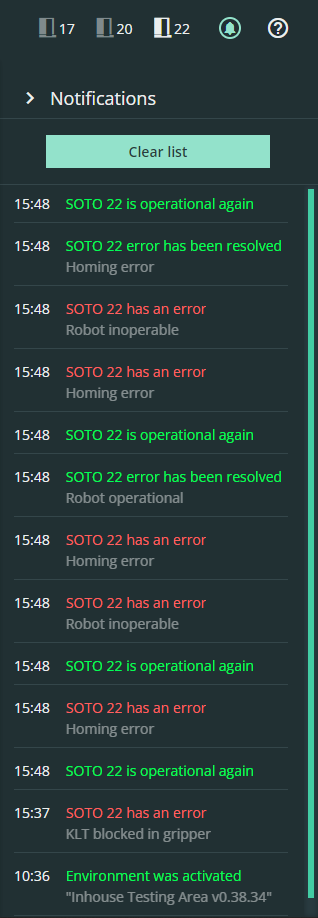
The notifications button in the top-right corner of the MFM opens a panel with recent notifications. Each notification includes a timestamp and additional details that can be viewed by moving the cursor over the notification.
The notifications button is color-coded, and displays new positive notifications in green and red notifications for unacknowledged errors.
To close the notifications panel, click the arrow or the button again. All notifications are automatically removed after 48 hours.
On screen notifications
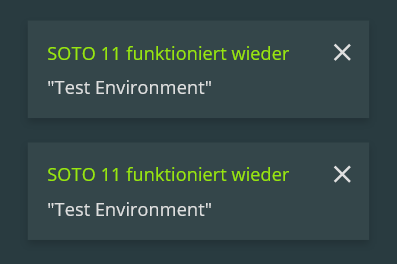
Notifications are also briefly displayed in the lower-right corner while using the MFM. The notifications are limited to three at a time, and automatically close after a few seconds. To close the pop-ups, click the X icon.