
Summary
The Order Manager displays the live status of all queued requests, including detailed information about each of them.
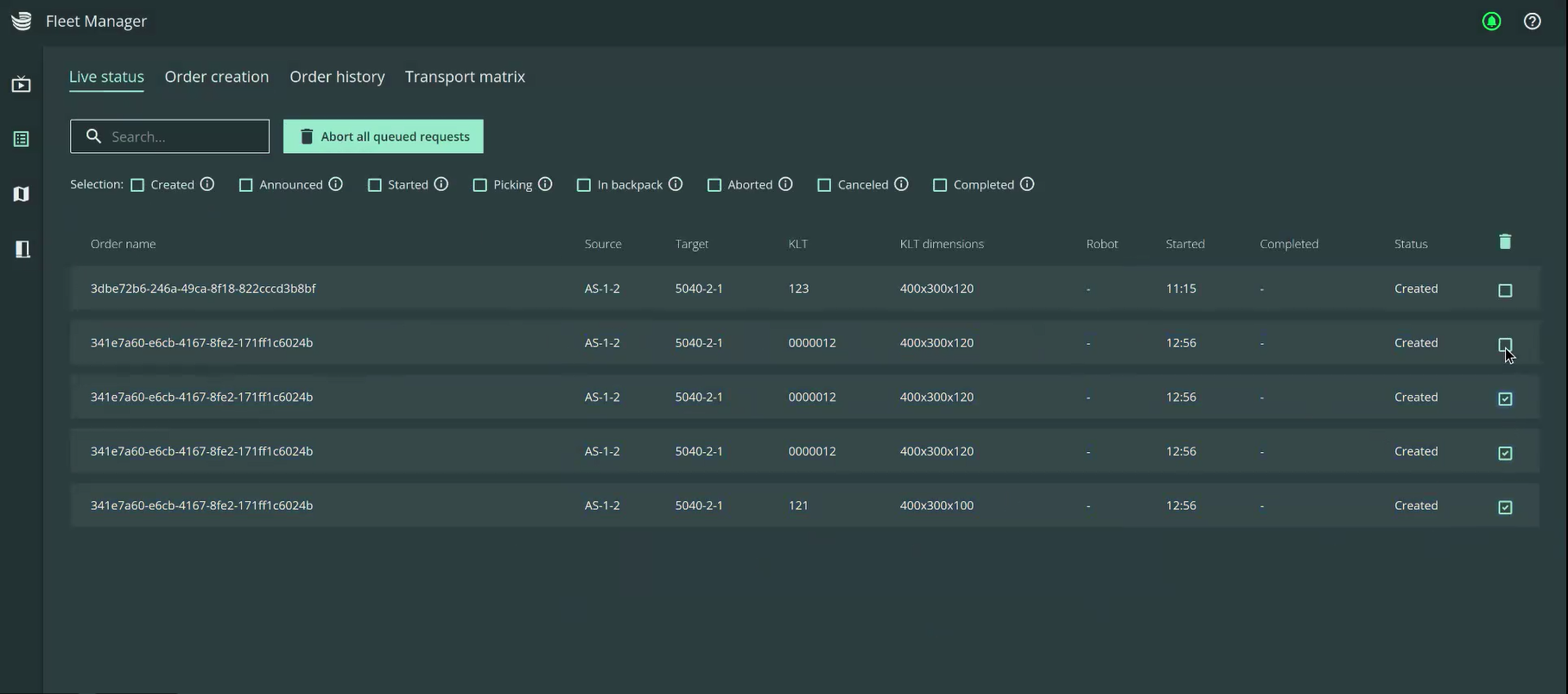
Table description
-
Order name (collective transport order): automatically generated (if not assigned)
-
Source: Name, handover station
-
Target: Name, handover station
-
KLT: Affected item
-
KLT dimensions: Length, width, height of the item
-
Robot: Assigned robot
-
Start: Start of the order (date, time)
-
Completed: Completion of the order (date, time)
-
Status: Current status of the request (see filtering options)
Functionalities
-
Use the following options to filter the table by order status (the tooltip also describes each status):
-
Created: The request has been created and is ready to be batched
-
Announced: The request has been announced, but is not yet ready to be batched
-
Started: The request has been batched and was assigned to a robot
-
Picking: The item is currently being picked
-
In backpack: The item is in the backpack of a robot.
-
Aborted: The robot failed to pick the item.
-
Canceled: The request has been canceled by a user.
-
Completed: The item was delivered to the target.
-
-
You can delete all or individual requests using the icon on the right-hand side of the table. Requests that are already being transported by the robot (i.e. the KLT is in the backpack), can no longer be deleted.
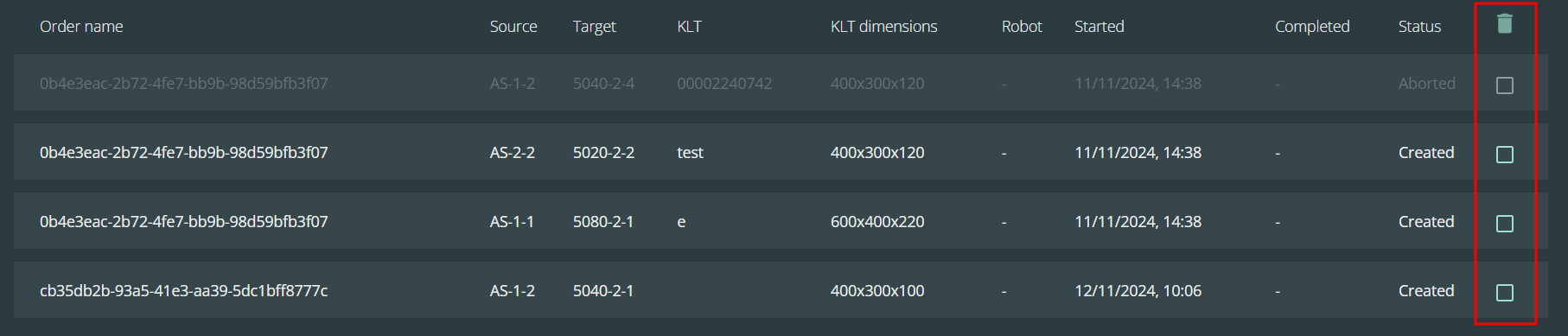
-
All requests can be deleted using the button next to the search box.
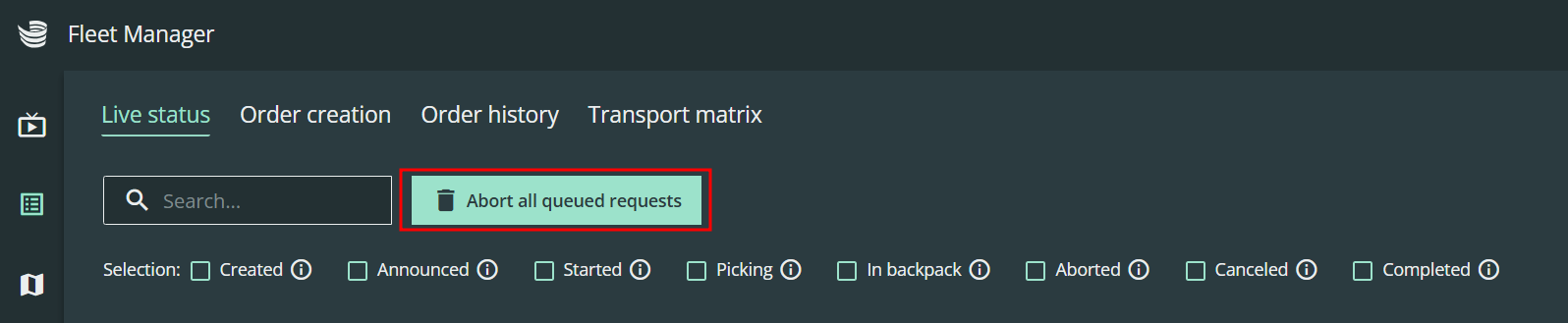
-
The search box makes it possible to find single request information inside the table.
