
Summary
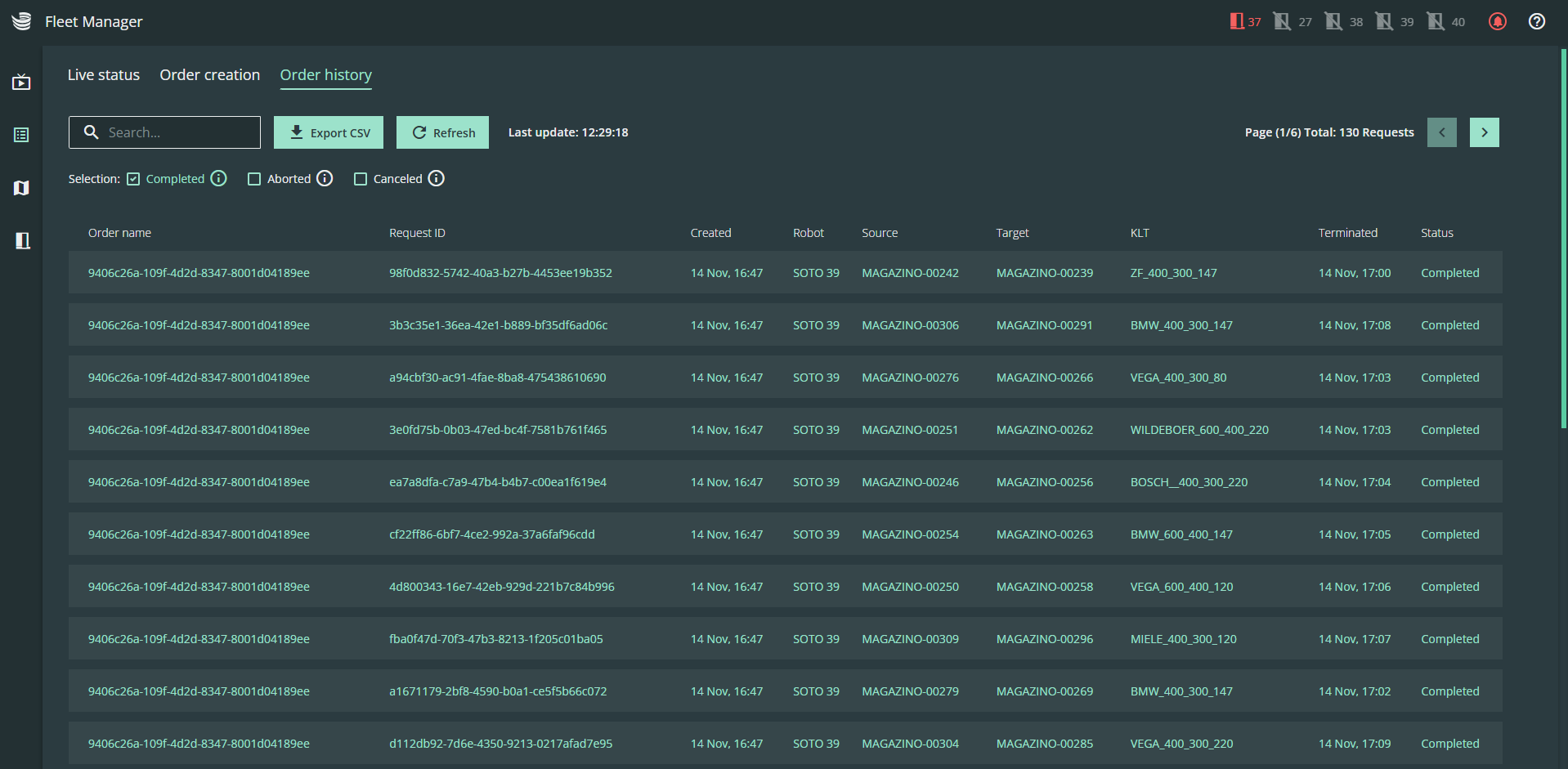
The order history contains a list of all completed requests with their relevant details.
All requests are automatically deleted from the order history after 24 hours
Functionalities
-
You can use the filter to differentiate between "completed", "canceled" and "aborted" requests:
-
Completed requests: The KLT was delivered to the target location.
-
Cancelled requests: This request has been canceled by a user.
-
Aborted requests: The robot failed to pick the KLT.
-
-
Download the entire order history using the download button on the left-hand side. The saved format is a .csv file and contains all the contents of the history.

-
Update the order history using the "Refresh" button. The timestamp of the last update is displayed to the right of the button.

-
Use the arrow buttons to navigate to previous orders.

-
You can also use the search field to find a specific request.