Skip table of contents

Service mode

This mode allows customer users to perform maintenance tasks.
Internal users can execute tasks through the Maintenance Center.

Landing page
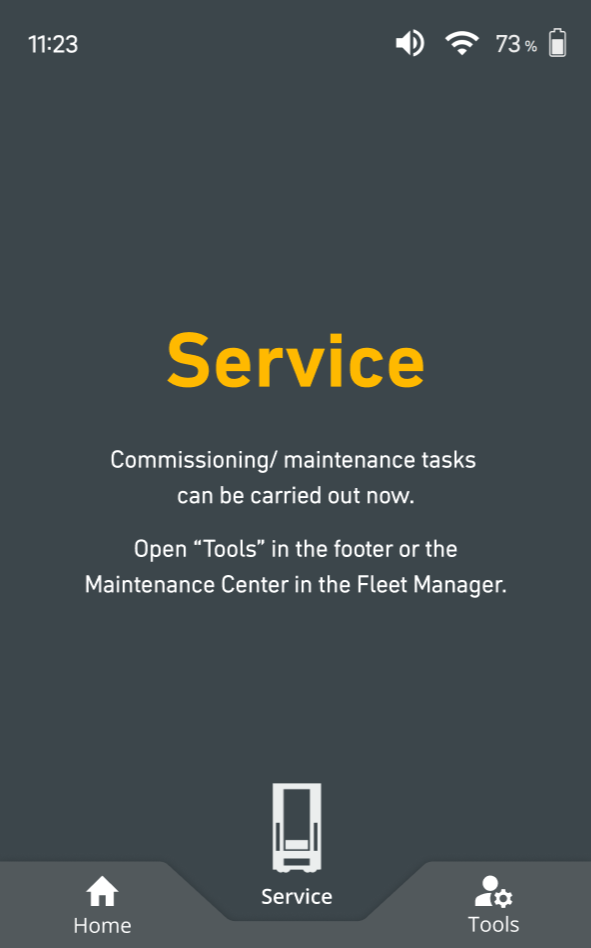
image-20260202-154704.png

After the mode has been successfully switched, all commissioning and maintenance tasks can be performed either directly on the display via ‘Tools’ or through the Maintenance Center in the Fleet Manager.

Tools

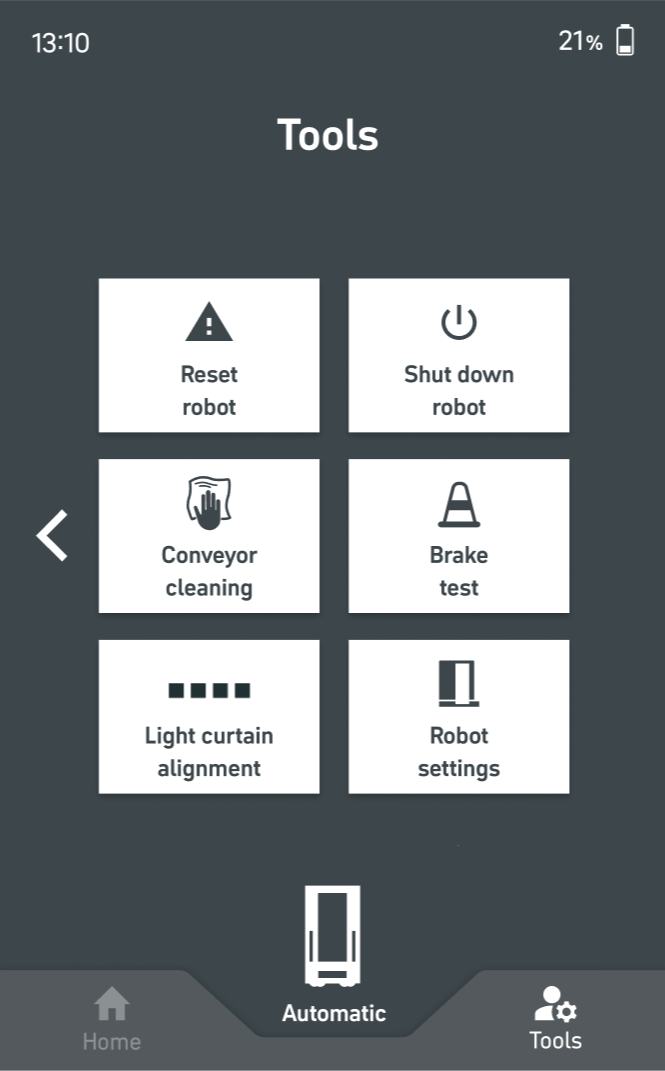
image-20260202-154457.png

Features in “Tools” during Service mode:

  • Clean conveyor: Rotates the conveyor bands to support during the cleaning procedure.

  • Light curtain alignment: Checks the functionality of the light curtain.

  • Brake test: (warning) For expert use only! Checks the functionality of the brakes.

  • Shut down robot: Exception handling tools

  • Restart robot: Exception handling tools

  • Settings: Contains information about the robot, the environment and other settings. (s. Settings )

Errors during service

Every error which is related to the robot and the service process will show up in the form of a tutorial and needs to be solved.

JavaScript errors detected

Please note, these errors can depend on your browser setup.

If this problem persists, please contact our support.